Short version: Claude Code forgets your project when the session ends. Adding long-term memory takes ten minutes: run the local MaxGraph MCP server in Docker, connect it with one claude mcp add command, and paste a protocol block into CLAUDE.md. From then on, the agent records decisions, bugs and tasks — and restores them at the start of the next session.
What you need
- Docker (Docker Desktop on Windows/macOS, docker + compose on Linux)
- Claude Code
- 10 minutes
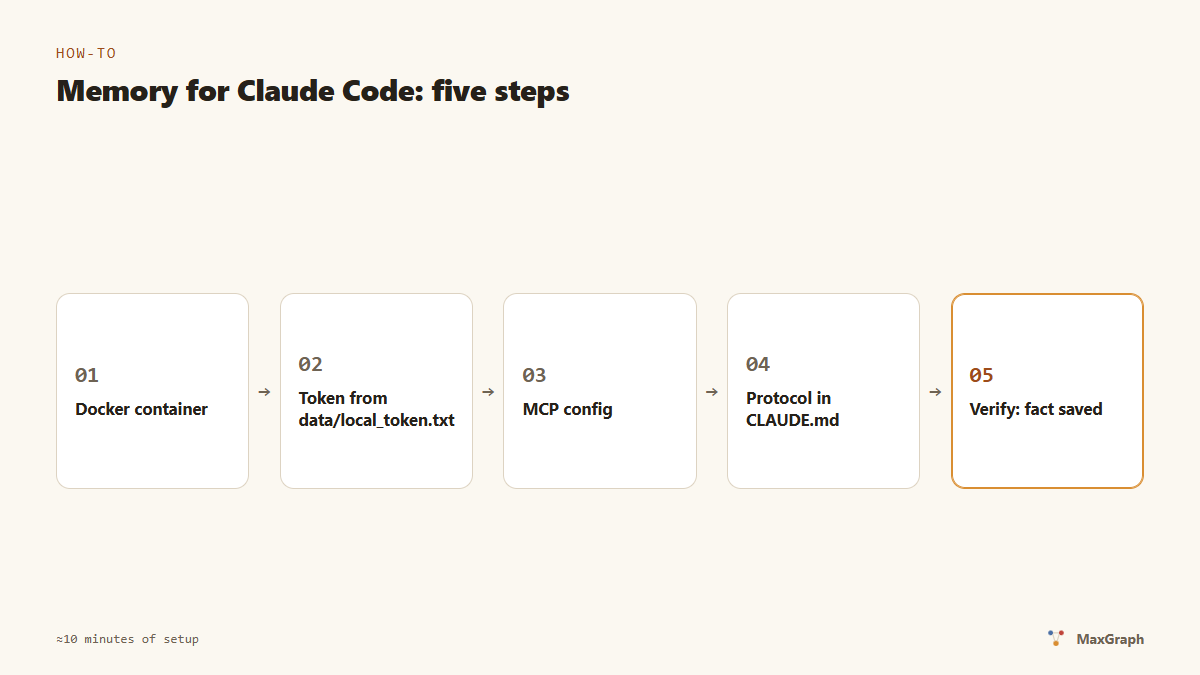
Step 1. Run the memory server
git clone https://github.com/RuMemory/maxgraph
cd maxgraph
docker compose up -d
Check:
curl http://localhost:8787/healthz
# → ok
Step 2. Get the access token
The token is generated automatically on first run:
# Linux / macOS
cat data/local_token.txt
# Windows
type data\local_token.txt
This token is the key to your memory. Don’t publish it, don’t commit it.
Step 3. Connect MaxGraph to Claude Code
One command:
claude mcp add --transport http maxgraph http://localhost:8787/mcp \
  --header "Authorization: Bearer YOUR_TOKEN"
Or the same in the project’s .mcp.json:
{
  "mcpServers": {
    "maxgraph": {
      "type": "http",
      "url": "http://localhost:8787/mcp",
      "headers": { "Authorization": "Bearer YOUR_TOKEN" }
    }
  }
}
Restart Claude Code — the tool list now includes create_entities, add_observations, search_nodes, session_start and others.
Step 4. Add the memory protocol to CLAUDE.md
The tools exist — now tell the agent how to use them. Add to the project’s CLAUDE.md:
You have persistent MaxGraph memory (maxgraph/* tools).
At session start, call session_start. Save facts IMMEDIATELY via
add_observations; new topics — create_entities (name = kebab-case id,
title = human-readable name); relations — create_relations in active voice.
End the session with session_close including a summary.
Full protocol: https://github.com/RuMemory/maxgraph/blob/master/docs/PROTOCOL.md
Without this block the agent remembers “when it happens to think of it”. With the block — systematically.
Step 5. Verify
Ask the agent: “Remember: we deploy only through the deploy script with the preflight guard.” Close the session. Open a new one and ask: “What do you know about our deploys?”
If the answer mentions the preflight guard, memory works. While you’re at it, open the dashboard at http://localhost:8787/app (sign in with the token): there’s a live knowledge graph, a record journal, and a one-click full JSON export.
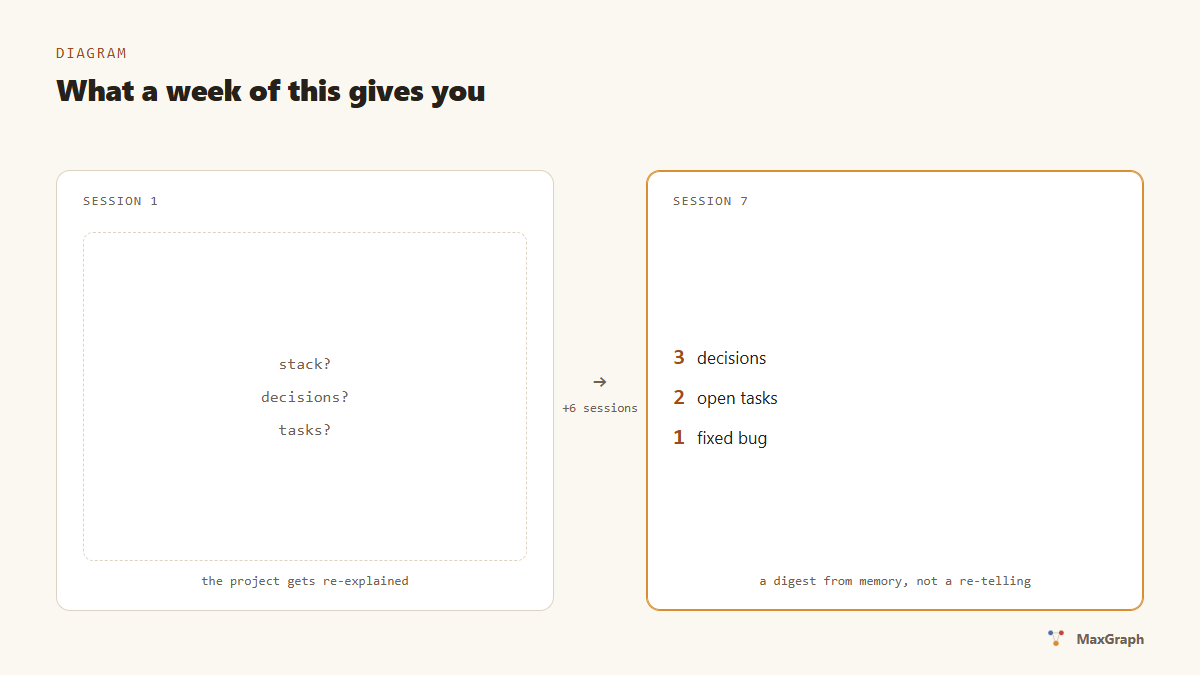
What you get after a week
- Sessions start without re-explaining the project: the agent reads the digest of decisions, open bugs and tasks itself. Measurements: 1.4–3.3× fewer tokens at session start.
- Decisions stop disappearing: “why did we choose Postgres” is one search away, a month later.
- 7-day trial, no card; data stays on your machine, NDJSON export in one click.
FAQ
I use Cursor / another client.
Any MCP client works: URL http://localhost:8787/mcp + Authorization: Bearer <token> header. Configs for popular hosts are in docs/PAIRING.md.
Is my data sent anywhere?
No. Memory lives in data/ on your machine. Internet is needed once — for license activation after the trial.
What does it cost after the trial? $1.99/month. The core with export and viewing stays available even without a subscription.
Give your agent memory
7-day trial, no card. Installation is one prompt — your agent does the rest.