Short version: An MCP server is a process that hands tools to your agent over a standard protocol. Connecting one comes down to a single config: a launch command for a stdio server, a URL and a token for an HTTP one. Below: where to find servers, ready-made configs for Claude Code and Cursor, how to verify everything works, and the six most common mistakes.
What you need
- An MCP-capable client: Claude Code, Claude Desktop, Cursor, Windsurf or VS Code
- For stdio servers: Node.js (npx) or Python (uvx) on your PATH
- 10 minutes
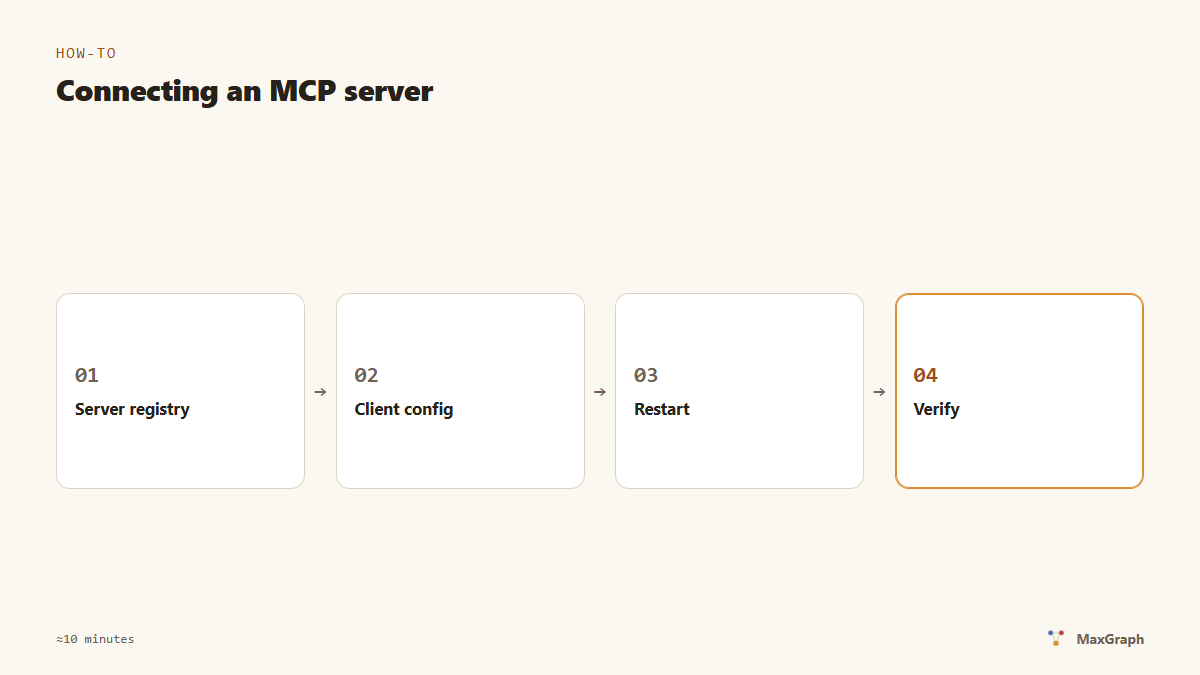
Step 1. Find a server
The official registry is registry.modelcontextprotocol.io (in preview since September 2025); the broader community list is awesome-mcp-servers. Each server’s description says which transport it uses: stdio (launched as a command on your machine) or HTTP (already running somewhere, you need a URL and usually a token).
We’ll use two examples: filesystem, the reference stdio server from the modelcontextprotocol/servers monorepo, and our MaxGraph, a memory server over streamable HTTP. If you want the theory first — what MCP even is — there’s a plain-English guide.
Before installing what you found, spend a minute checking it. A server is code that will run on your machine or receive your tokens, so look at four things: who the author is (official servers from modelcontextprotocol and known vendors are beyond suspicion), the stars and the last commit date, what access the server asks for (a filesystem server shouldn’t need the network), and whether the source is available. Five minutes here saves hours later.
Step 2. Connect in Claude Code
For a stdio server, one command:
claude mcp add filesystem -- npx -y @modelcontextprotocol/server-filesystem /path/to/folder
For an HTTP server:
claude mcp add --transport http maxgraph http://localhost:8787/mcp \
  --header "Authorization: Bearer YOUR_TOKEN"
The same thing as a file — .mcp.json in the project root:
{
  "mcpServers": {
    "filesystem": {
      "command": "npx",
      "args": ["-y", "@modelcontextprotocol/server-filesystem", "/path/to/folder"]
    },
    "maxgraph": {
      "type": "http",
      "url": "http://localhost:8787/mcp",
      "headers": { "Authorization": "Bearer YOUR_TOKEN" }
    }
  }
}
A project-level file is handy because it commits with the code (tokens obviously don’t go in it — use environment variables or your local user config for those).
The claude mcp add command takes a --scope flag: local — just you and just this project, project — a config committed to the repo for the whole team, user — all your projects at once. Project memory belongs in project; personal experiments in local.
Step 3. Connect in Cursor
Cursor reads ~/.cursor/mcp.json (globally) or .cursor/mcp.json in the project. The format is the same: mcpServers, with command/args for a stdio server and url for HTTP. After saving, open Settings → MCP: there’s the server list with statuses. A green indicator means the server is up and has handed its tool list to the client.
One Cursor nuance: a server can be green while its tools stay unavailable in chat, if automatic tool use is disabled in the agent settings. Check that tool calls are allowed there — otherwise the agent will “know” about the tools but never call them.
Step 4. Verify
In Claude Code, the /mcp slash command shows servers and their state. The universal check in any client: ask the agent “which MCP tools do you have?” It should list the tools of every connected server.
The final test is asking the agent to do something through a tool. For example: “remember this fact: we only deploy through the preflight script”. If the agent called the write tool and confirmed, everything works.
For an HTTP server you can also verify without the agent, with plain HTTP. MaxGraph, for instance, has a health endpoint:
curl http://localhost:8787/healthz
# → ok
If the endpoint responds but the client can’t see the server, the problem is almost certainly in the client config: a typo in the URL, a trailing slash on the path, or a forgotten authorization header.
The six most common mistakes
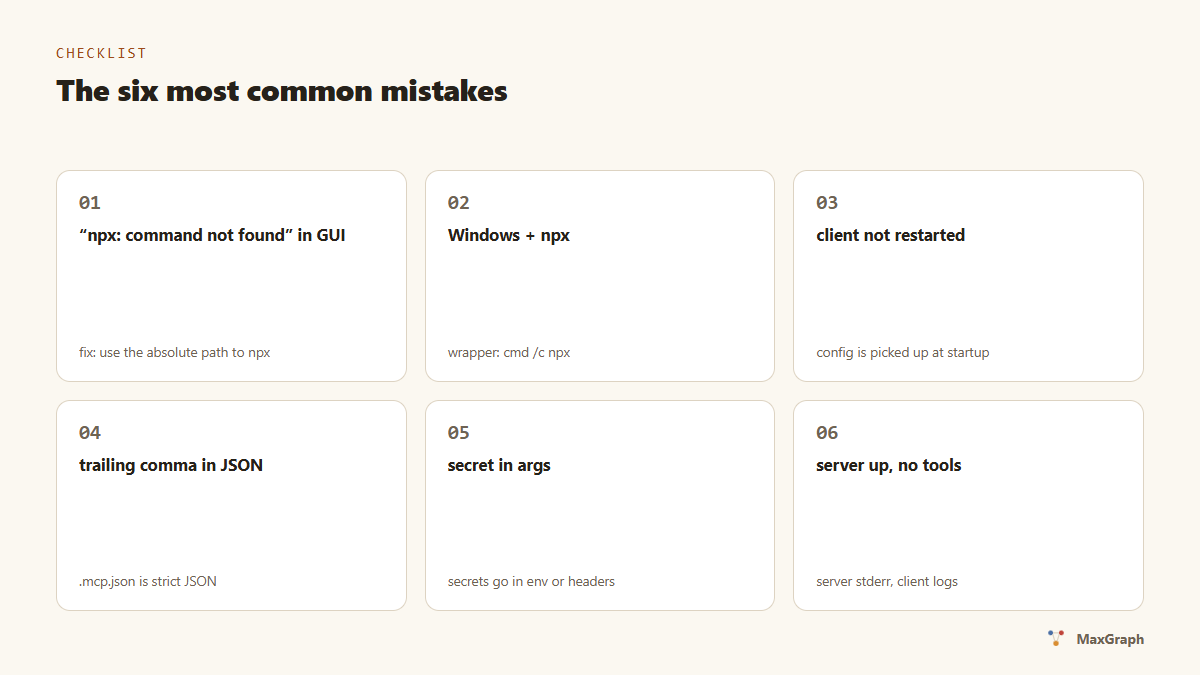
- “npx: command not found” even though Node is installed. GUI applications on macOS and Windows don’t see your shell’s PATH. Fixed with an absolute path:
/usr/local/bin/npxorC:\Program Files\nodejs\npx.cmd. - Windows and npx. Some clients on Windows need a wrapper:
"command": "cmd","args": ["/c", "npx", "-y", "…"]. - The client wasn’t restarted. Config is picked up at startup; most clients have no hot reload.
- A trailing comma in the JSON.
.mcp.jsonis strict JSON: no comments, no trailing commas. - A secret in the arguments. A token in
argsends up in the process list and logs. Put secrets inenvorheaders. - The server is there but no tools appear. Read the server’s stderr and the client’s logs:
claude --debugin Claude Code, the Output → MCP panel in Cursor.
How many servers is too many?
Every server adds its tool descriptions to the context. Ten servers with ten tools each means thousands of tokens on every request, before any useful work starts. Keep connected what this project actually needs; comment the rest out in the config for now. We measured what extra context costs — the numbers are here.
FAQ
How do I disconnect a server?
In Claude Code: claude mcp remove <name>. In Cursor: delete the block from mcp.json and restart.
The server I want isn’t in the registry. Now what? The registry isn’t required: any executable or URL works. A local server from the next folder over connects exactly the same way.
Can one server serve a whole team? Yes, over streamable HTTP: run one instance and hand out the URL and tokens. That’s how MaxGraph’s self-hosted setup works — a server in Docker, a token per person.
How does the agent know when to use which tool?
From the tool descriptions and from your instructions. The server provides the first; you provide the second: a block of rules in CLAUDE.md or .cursor/rules (“when to write to memory”, “what counts as a decision”) matters more than polished descriptions. A working example of such a block is in the Claude Code memory article.
What’s next
- The theory behind this practice: MCP explained.
- A full working scenario: memory for Claude Code in 10 minutes.
Give your agent memory
7-day trial, no card. Installation is one prompt — your agent does the rest.