Short version: long-term agent memory is a layer that preserves knowledge between sessions: decisions, project facts, preferences, open tasks. The context window is RAM that gets wiped; long-term memory is the disk. There are three ways to build it: document search (RAG), a knowledge graph, or a hybrid.
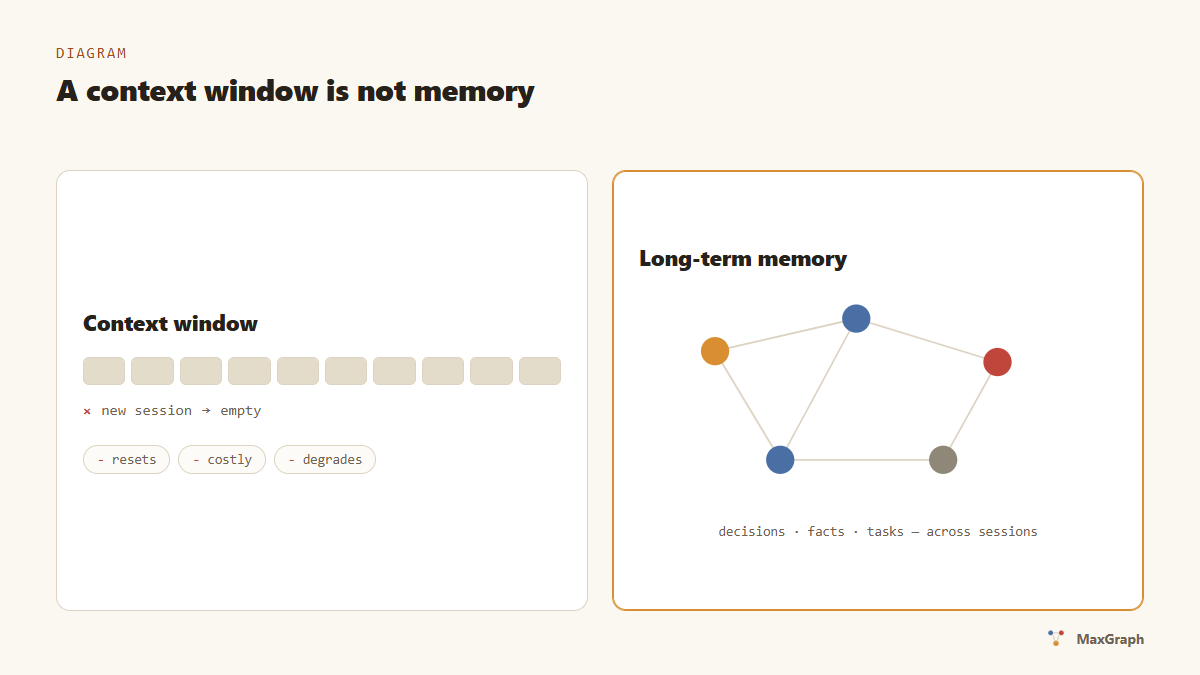
The context window is not memory
Context windows keep growing (200K, a million tokens), and the temptation follows: “just keep everything in the window”. Three reasons why that isn’t memory:
- The window resets. A new session is a blank page. Everything the agent learned about your project yesterday has to be re-explained.
- The window is expensive. Every token in it is paid for on every request. We measured it: starting a session with memory costs 1.4–3.3× less than reading the project from scratch.
- The window degrades. On long contexts, models attend to the edges and lose the middle — a fact sitting at token 80,000 is found less reliably than the same fact returned by a short search result.
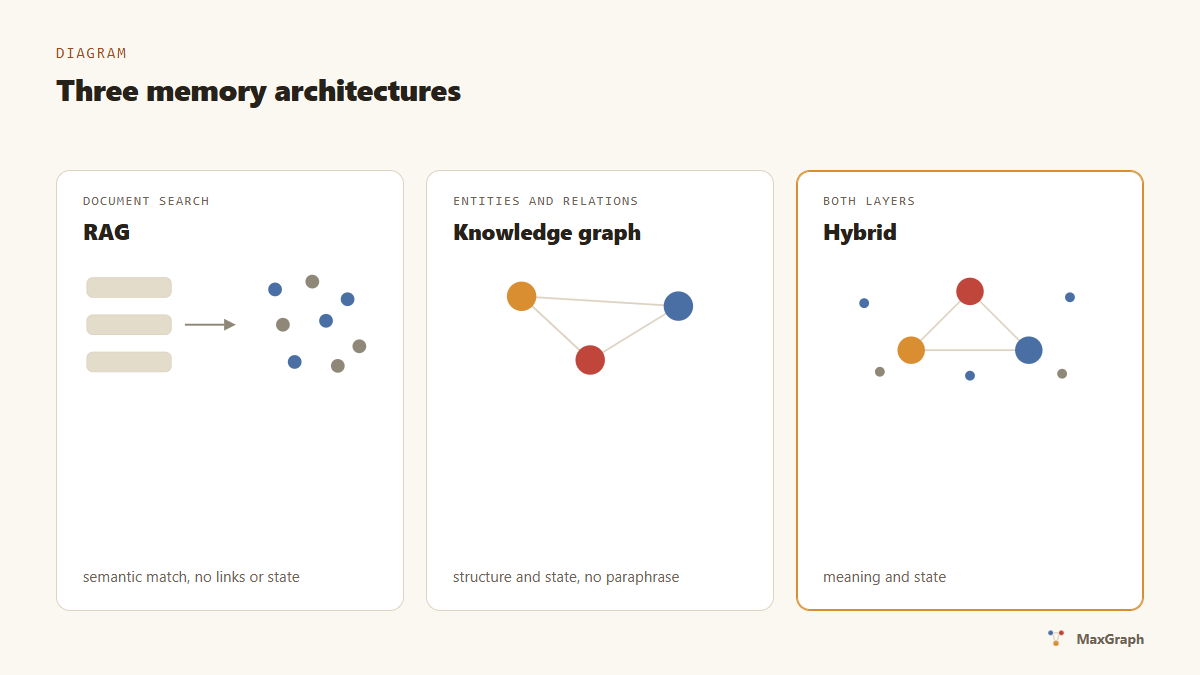
Three memory architectures
RAG (document search). Records are split into chunks, chunks are embedded, and retrieval is by vector proximity. Good at “find something semantically similar”. Weakness: no relations between facts and no state — “which bug did we close yesterday” sits somewhere in the middle of a text chunk.
Knowledge graph. Facts are stored as entities and relations: “project → uses → PostgreSQL”, “bug-127 → fixed”. Retrieval is precise, by names and edges. Weakness: a bare graph doesn’t understand paraphrases (“crash on Xiaomi” vs “fails on the phone”).
Hybrid. The graph provides structure and state; vector search provides semantics. That’s how MaxGraph is built: entities with observations and relations, plus semantic search on top.
What it looks like in practice
A working cycle with memory:
- Writing. During work the agent saves atomic facts: an owner’s decision, a discovered bug, a deployment agreement.
- Session close. The day’s outcomes collapse into a session entity linked to the topics it touched.
- Next session start. The agent requests a digest: current decisions, open bugs and tasks — under a hard size budget.
- Pinpoint search. “Why did we choose X” is answered by one search instead of reading five files.
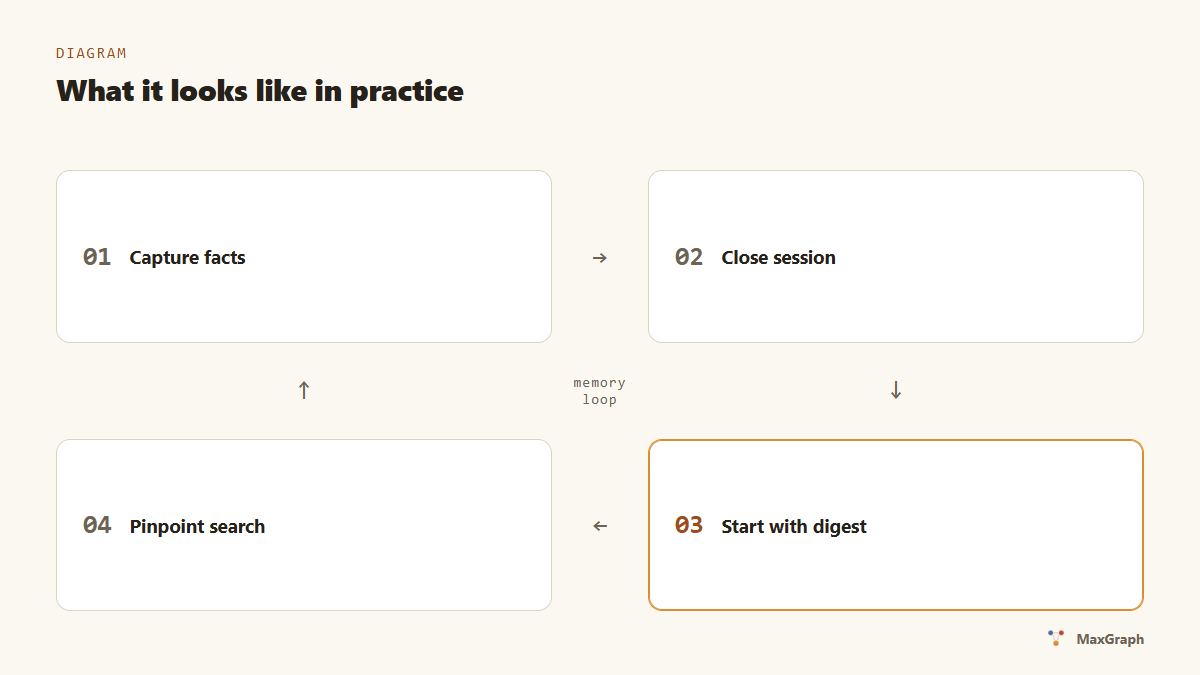
Step 3 is the main source of savings: instead of “read the whole project” the agent gets half a page of what matters.
How to choose a tool
A five-question checklist:
- Where does the data live? Self-hosted keeps records on your machine; a cloud is more convenient, but your context sits on someone else’s server.
- Does it have state? Can it express “task closed”, “decision reverted” — or only append-only records?
- How does it search? Vectors only, keywords only, or a hybrid.
- What about export? Can you take your memory in an open format and leave.
- Protocol. An MCP server plugs into any MCP-capable agent; a proprietary SDK ties you to one ecosystem.
We wrote an honest comparison of MaxGraph, mem0 and Zep along these axes — including the places where we’re weaker.
FAQ
Is memory the same as RAG? No. RAG is a way to search documents. Memory is state that persists between sessions: decisions, tasks, preferences. RAG can be part of memory, not the other way round.
How is memory different from a system prompt? A system prompt is hand-written and static. Memory accumulates by itself as you work and is updated every day.
What does it cost in tokens? Starting a session with a memory digest is about 4K tokens versus 7–11K for reading the project yourself. Full measurements and methodology.
Will the agent remember secrets? A good memory system stores what you entrust to it locally and sends nothing out. With MaxGraph, data lives on your machine, and telemetry is disabled with a flag.
What’s next
- Hands-on: give Claude Code memory between sessions — step by step, 10 minutes.
- Terminology: the agent memory glossary.
- The protocol underneath: MCP explained.
Give your agent memory
7-day trial, no card. Installation is one prompt — your agent does the rest.